

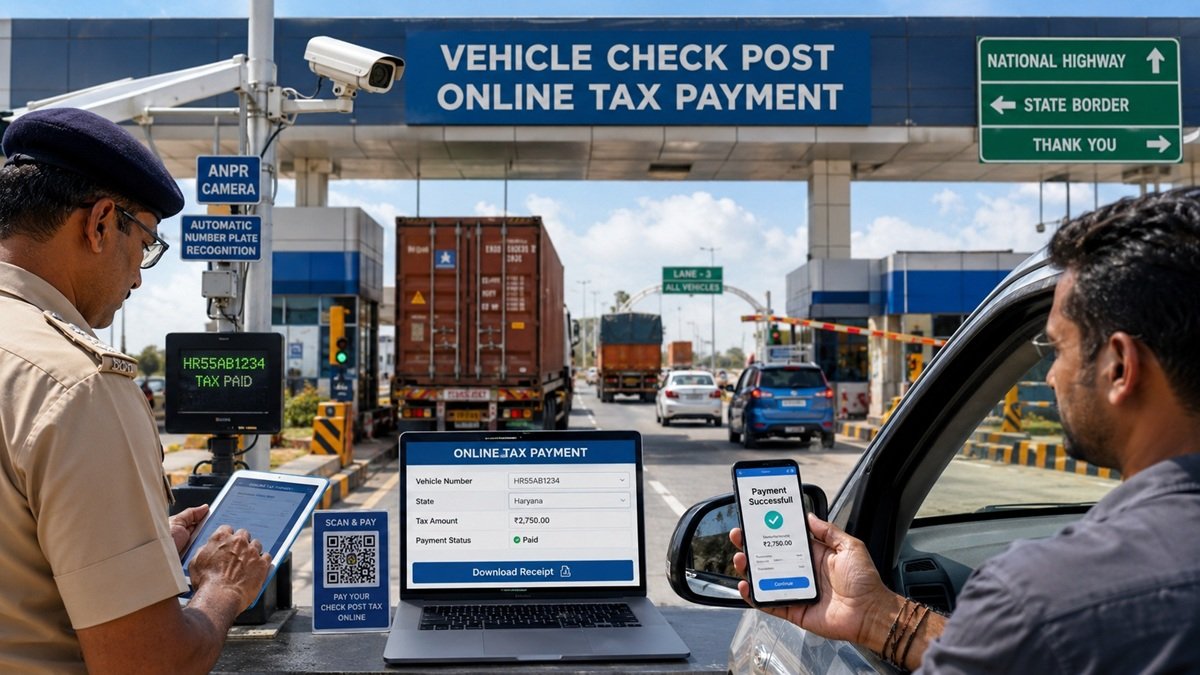
Introduction
Imagine your truck is loaded, your driver is ready, and the delivery is urgent — but at the state border, officials stop your vehicle because check post tax hasn’t been paid. Hours of delay. Possible fine. Business loss.
This happens more often than you think. Every day, hundreds of vehicles get held up at state checkposts across India simply because drivers or transport managers were not aware of check post tax rules.
Check post tax is a state-level levy charged on vehicles entering a new state. It is separate from the one-time road tax you pay when you register a vehicle. Think of it as an entry fee for using the roads of another state — especially for commercial vehicles, goods carriers, tourist buses, and sometimes private vehicles too.
The good news? You don’t have to pay it manually at a checkpost queue anymore. India’s Parivahan portal (parivahan.gov.in) now allows online check post tax payment from your phone or laptop — anytime, anywhere.
But the rules are different for every state. Kerala has its own system. Karnataka has its own rates. West Bengal, Uttar Pradesh, Tamil Nadu — each follows its own tax structure. So knowing which rules apply to your vehicle and route is critical.
This guide covers everything — from what check post tax is and who needs to pay it, to a step-by-step online payment process, state-wise rules, common mistakes, and what to do when payment fails. Whether you’re a truck driver, transporter, fleet owner, or a private vehicle owner planning an interstate trip, this guide is for you.
Quick Summary Box
What: Check post tax is a state border tax on vehicles entering another state.
Who pays: Mainly commercial vehicles; some states require it from private vehicles too. Where to pay: Online at parivahan.gov.in or at the checkpost counter.
Documents needed: RC, Insurance, Permit, Driving Licence, PUC.
Penalty for non-payment: Vehicle detention, fine, and legal action.
Receipt validity: Varies by state (usually 24 hours to 30 days).
What Is Check Post Tax?
When a vehicle crosses the boundary from one Indian state into another, certain states require the vehicle owner or driver to pay an entry tax. This is called check post tax — also known as border tax, vehicle entry tax, or interstate road tax in common language.
This tax is different from the regular road tax you pay once at the time of vehicle registration. Regular road tax is a one-time or annual payment made in your home state. Check post tax, on the other hand, is charged each time you cross into a specific state — and it is collected at the border checkpost or online through the Parivahan system.
Why Do States Collect This Tax?
States in India have the constitutional right to levy taxes on the entry of goods and vehicles. The revenue from check post tax goes into maintaining state roads, highways, transport infrastructure, and checkpost administration.
Beyond revenue, checkposts also serve as surveillance points. They help authorities track vehicle movement, verify permits and documents, prevent overloading, and check for stolen or unauthorized vehicles.
Must Read: IFFCO HRMS: Complete Guide for Employees
Road Tax vs. Check Post Tax — What’s the Difference?
| Feature | Road Tax | Check Post Tax |
|---|---|---|
| When paid | At vehicle registration | Every time you enter a new state |
| Who pays | All vehicle owners | Mainly commercial vehicles |
| How often | One-time or annually | Per trip or per entry |
| Where paid | RTO or Parivahan portal | Border checkpost or online |
| Amount | Based on vehicle cost/type | Based on vehicle type & state rules |
Understanding this difference is important. Many drivers confuse the two and end up unprepared at a checkpost.
Who Needs to Pay Check Post Tax?
Not every vehicle crossing a state border has to pay check post tax. The requirement depends on vehicle type, state rules, and the purpose of travel. Here’s a clear breakdown:
Commercial Vehicles
This is the most common category. Trucks, lorries, tankers, and heavy motor vehicles that carry goods across states are almost always required to pay check post tax. The amount depends on the vehicle’s gross weight, the type of goods being transported, and the state being entered.
Tourist Buses and Passenger Coaches
Private buses, tour operator vehicles, and maxi cabs plying interstate routes are often subject to check post tax. Some states also require a special tourism permit along with tax payment.
Goods Carriers and Transport Vehicles
Any LCV (Light Commercial Vehicle) or HCV (Heavy Commercial Vehicle) used for the commercial movement of goods needs to comply with state entry tax requirements. Even small tempo vehicles carrying goods commercially may attract check post tax in states like Kerala and Karnataka.
Private Vehicles (When Applicable)
Normally, private cars and two-wheelers are exempt from check post tax. However, there are exceptions:
- If the vehicle is staying in another state for more than 30 days (some states may require temporary road tax)
- If the private vehicle is being used commercially without proper permits
- In certain states like Kerala, private vehicles parked or used for extended periods may need to pay tax
Transport Companies and Fleet Owners
If you operate a fleet of trucks or buses, check post tax compliance is a regular business expense. Keeping records of all payments and receipts is essential for accounting and legal compliance.
Why Check Post Tax Is Important
Paying check post tax is not just a formality — it has real legal and practical importance.
Legal Compliance
Under the Motor Vehicles Act and various state transport laws, operating a vehicle across state borders without paying applicable taxes is an offense. State transport officers at checkposts have the authority to detain vehicles, issue challans, and even impound vehicles for non-compliance.
Avoid Heavy Penalties
The fine for skipping check post tax can be several times the actual tax amount. In states like Kerala and Karnataka, penalties can range from double to triple the original tax amount. For commercial vehicles carrying high-value goods, this can mean significant financial loss.
Smooth Interstate Movement
Paying in advance — especially online through Parivahan — means your vehicle doesn’t have to wait at checkpost queues. This saves time, fuel, and reduces delivery delays for transport businesses.
Digital Verification
With India’s push toward digital governance, checkpost authorities now verify tax payments digitally. The Parivahan system updates records in real time. Even if you lose your paper receipt, officials can verify payment through the vehicle number and transaction ID online.
Better Record Keeping
Online check post tax payments create a digital trail. For businesses, this helps with GST compliance, trip reports, fleet management, and audits.
Documents Required at a Check Post
Whether you’re paying at the checkpost counter or have already paid online, always carry these documents while traveling interstate:
- Registration Certificate (RC) — Original or digital copy via DigiLocker
- Vehicle Insurance — Valid third-party or comprehensive insurance
- Goods Carriage Permit / Transport Permit — Required for commercial vehicles
- Driving Licence — Valid DL of the driver
- PUC Certificate — Pollution Under Control certificate, must be valid
- National Permit / State Permit — As applicable to the route
- Check Post Tax Payment Receipt — Printed or digital, with transaction ID
- Fitness Certificate — For commercial vehicles
- Trip Sheet — For goods carriers, showing origin, destination, and goods details
Pro Tip: Keep a digital copy of all documents in DigiLocker or as PDFs on your phone. If originals are misplaced during travel, digital copies are legally accepted at most checkposts.
How to Pay Check Post Tax Online
The Central Government’s Parivahan Sewa portal (parivahan.gov.in) is the primary platform for online check post tax payment. Most states have integrated their checkpost systems with this portal.
Here is the complete step-by-step process:
Step 1: Visit the Parivahan Portal
Open your browser and go to parivahan.gov.in. This is the official Ministry of Road Transport and Highways (MoRTH) portal. Avoid third-party websites claiming to offer similar services.
Step 2: Navigate to Check Post Tax
On the homepage, look for the “Online Services” menu. Under it, click on “Check Post Tax” or navigate to: parivahan.gov.in → Online Services → Check Post Tax
Step 3: Select Your State
A dropdown list of states will appear. Select the destination state — that is, the state you are entering, not your home state.
Important: Many users make the mistake of selecting their home state instead of the state they’re entering. This is one of the most common errors that causes payment to go to the wrong state.
Step 4: Choose the Applicable Service
Based on your vehicle type and purpose, select the relevant service — for example:
- Tax Collection for Other State Vehicles
- Entry Tax for Goods Vehicles
- Tourist Vehicle Tax
Step 5: Enter Vehicle Details
You will be asked to enter:
- Vehicle Registration Number (e.g., KA-01-AB-1234)
- Chassis Number (last 5 digits in some cases)
- Engine Number (last 5 digits)
- Type of vehicle and its purpose
The system will auto-fetch other details from the VAHAN database if your vehicle is registered on Parivahan.
Step 6: Calculate Tax Amount
Once vehicle details are entered, the portal will calculate the applicable tax based on:
- Vehicle type (commercial/private/tourist)
- Vehicle weight or seating capacity
- State-specific rate schedule
- Duration of stay or purpose of entry
Review the tax amount carefully before proceeding.
Step 7: Make Payment
Choose your preferred payment method:
- Net Banking (all major banks supported)
- Debit/Credit Card
- UPI (Google Pay, PhonePe, Paytm, etc.)
- NEFT/RTGS for bulk payments by transporters
Complete the payment. You will receive a transaction ID immediately after successful payment.
Step 8: Download the Receipt
After payment, a payment receipt will be generated. Download and save it immediately. It contains:
- Vehicle number
- Transaction ID
- Date and time of payment
- Amount paid
- State name
- Validity period
Pro Tips:
- Always pay check post tax at least a few hours before reaching the border to allow system updates.
- Take a screenshot of the payment confirmation page as a backup.
- If you drive the same route regularly, note the tax amount to budget it in advance.
- UPI payments are instant — prefer them over net banking to avoid delays.
How to Check Pending Transactions
Sometimes your payment might be debited from your bank but the Parivahan system may not confirm it. This creates a “pending transaction.” Here’s how to check and resolve it:
Step 1: Go to Parivahan Check Post Section
Visit parivahan.gov.in → Online Services → Check Post Tax → Select State
Step 2: Find “Check Pending Transaction”
Look for the option labeled “Pending Transaction” or “Check Transaction Status” on the check post tax page.
Step 3: Enter Transaction Details
Enter your:
- Transaction Reference Number (from your bank or payment app)
- Vehicle Registration Number
- Date of payment
Step 4: View Transaction Status
The system will show one of the following statuses:
- Success — Payment processed; download receipt
- Pending — Still being processed; wait 24–48 hours
- Failed — Transaction failed; re-initiate payment
Step 5: If Still Pending After 48 Hours
Contact your bank to confirm if the amount was debited. If yes, raise a grievance on the Parivahan portal or contact the relevant state’s transport department helpline.
Note: During peak hours or server issues, transactions can take up to 72 hours to reflect. Do not make a duplicate payment until the first transaction is confirmed as failed by the system.
How to Print Payment Receipt
Printing your check post tax receipt is important, especially for commercial vehicles where paper records must be maintained.
Method 1: Immediate Download After Payment
Right after making the payment, the portal shows a download link. Click “Download Receipt” or “Print Receipt” and save the PDF.
Method 2: Reprint Later from Portal
If you missed downloading it:
- Go to parivahan.gov.in → Check Post Tax → Select State
- Look for “Reprint Receipt” or “Print Challan”
- Enter your vehicle number and transaction date
- The receipt will appear on screen — download or print it
Method 3: Via SMS
Some states send an SMS with a receipt link after successful payment. Check your registered mobile number for an SMS from the Parivahan or state transport system.
What the Receipt Contains
Your receipt must clearly show:
- Transaction ID (keep this safe)
- Vehicle registration number
- Tax amount paid
- Payment date and time
- State name and validity
Tip: Print two copies — one for the driver to carry and one for office records.
How to Verify Your Payment Receipt
Receipts can be verified both online and via SMS. This helps checkpost officials confirm payment without physical documents.
Online Verification
- Visit parivahan.gov.in
- Go to Check Post Tax → Verify Receipt
- Enter your vehicle number and transaction ID
- The system displays payment details if valid
SMS Verification
Some states provide an SMS verification facility. Send an SMS in the format: CHECKPOST <Vehicle Number> to the state transport department’s short code.
Receipt Validity
Validity varies by state:
- Most states: Receipt valid for 24–48 hours from payment (for temporary entry)
- Some states: Up to 30 days for monthly passes
- Long-term permits: Up to 1 year for national permit vehicles
Always check the state-specific validity before starting your journey.
What to Do If Payment Fails
A failed payment is stressful, especially if you’re near the border. Here’s what to do:
Step 1: Don’t Panic — Check Bank Account First
Log into your bank account or payment app to see if money was deducted. If not deducted, the transaction genuinely failed, and you can retry immediately.
Step 2: Check for Pending Transaction
As explained earlier, go to the Parivahan portal and check if the transaction is in “Pending” status. Sometimes money is deducted but the portal hasn’t updated yet.
Step 3: Reverify Failed Transaction
On the Parivahan check post page, look for “Reverify Failed Transaction.” Enter your transaction ID. The system will attempt to reconcile payment records with the payment gateway.
Step 4: Wait for Auto-Refund
If money was deducted but the transaction failed in the system, an automatic refund is usually processed within 7–10 working days to your original payment method.
Step 5: Retry Payment
If the first payment is confirmed as failed (no deduction or refund confirmed), retry the payment. Use a different payment method if the original one keeps failing — for example, switch from net banking to UPI.
Step 6: Raise a Grievance
If the refund doesn’t come within 10 working days, raise a complaint on:
- Parivahan Grievance Portal: https://parivahan.gov.in
- Your bank’s dispute resolution team
- State Transport Department helpline
State-wise Check Post Tax — Comparison Table
Check post tax rules vary significantly between states. Here’s a consolidated overview as of 2025:
| State | Portal | Online Payment | Main Applicability | Special Notes |
|---|---|---|---|---|
| Kerala | parivahan.gov.in / keralapolice.gov.in | Yes | Commercial + some private vehicles | One of the strictest checkpost enforcement states; online payment strongly recommended |
| Karnataka | parivahan.gov.in + Karnataka RTO portal | Yes | Commercial vehicles, goods carriers | Karnataka integrates with Parivahan VAHAN system; National Permit vehicles also taxed |
| West Bengal | parivahan.gov.in | Yes | Commercial vehicles, tourist buses | Multiple checkposts along major NH corridors; toll plazas often co-located |
| Uttar Pradesh | uptransport.upsdc.gov.in + Parivahan | Yes | All commercial vehicles; private buses | UP has its own separate portal along with Parivahan; high-volume checkpost state |
| Tamil Nadu | tnreginet.gov.in + Parivahan | Yes | Commercial vehicles, tourist vehicles | Tamil Nadu levies separate entry tax for tourist taxis from other states |
| Telangana | transport.telangana.gov.in | Yes | Goods vehicles, commercial transport | Hyderabad border checkposts are among the busiest in South India |
| Maharashtra | parivahan.gov.in + mahatrans.gov.in | Yes | Commercial vehicles, tourist coaches | Maharashtra abolished octroi; check post tax now applies differently per vehicle class |
Disclaimer: Tax rates and applicability change periodically. Always verify with the official Parivahan portal or the respective state transport department website before traveling.
Common Mistakes Drivers and Transporters Make
Knowing the payment process is good — but knowing what NOT to do is equally important. These are the most frequent mistakes observed at checkposts:
1. Selecting the Wrong State on Parivahan
The portal asks you to select the state you are entering, not your home state. Selecting the wrong state means you’ve paid tax to the wrong state — and you’ll still need to pay again at the correct checkpost.
2. Entering an Incorrect Vehicle Number
A single wrong letter or digit in your vehicle number can cause the entire transaction to fail or link to the wrong vehicle. Always double-check before submitting.
3. Traveling with an Expired Permit
Your goods carriage permit or transport permit must be valid. An expired permit means you cannot legally ply the interstate route — paying check post tax doesn’t solve this.
4. Entering Wrong Vehicle Class
Classifying an LCV (Light Commercial Vehicle) as a private vehicle to reduce tax is a punishable offense. Authorities verify this from VAHAN records.
5. Not Downloading the Receipt
Many drivers pay the tax but forget to download the receipt. Without a receipt, you have no proof of payment at the checkpost — especially if server connectivity at the border is poor.
6. Ignoring a Failed Transaction
Some drivers assume their payment went through even when their transaction shows failed or pending. They proceed without re-checking — only to face trouble at the checkpost.
7. Paying at the Wrong Time
The receipt has a validity window. If you pay too early (say, 3 days before travel for a 24-hour receipt), your receipt may expire before you reach the checkpost.
Benefits of Paying Check Post Tax Online
The shift to digital tax payments through Parivahan has made interstate travel much more efficient. Here’s why online payment is the better choice:
- Saves Time: No queue at the checkpost counter. Drive through with a verified digital receipt.
- Cashless and Secure: UPI, card, and net banking payments eliminate the risk of cash loss or disputes.
- Less Paperwork: Digital receipts are valid proof. DigiLocker-stored receipts are legally accepted.
- Instant Receipt: Receipt is generated immediately after payment — available 24×7.
- Transparency: Fixed rates, no under-the-table payments, no manipulation.
- Track Record: Every payment is logged in the VAHAN system, creating a reliable compliance history for your vehicle.
- Accessible Anywhere: Pay from your home, office, or even while on the road — before entering the state.
Common Problems and Their Solutions
| Problem | Likely Cause | Solution |
|---|---|---|
| Payment failed but money deducted | Payment gateway timeout | Check pending transaction; wait 24–48 hours for auto-refund |
| Portal not loading | Server overload or maintenance | Try during off-peak hours (early morning); clear cache |
| Receipt not generated | Session timeout after payment | Use “Reprint Receipt” option with transaction ID |
| Vehicle not found in system | Old RC not updated on VAHAN | Contact your RTO to update vehicle details on VAHAN |
| OTP not received | Wrong mobile number registered | Contact RTO or raise Parivahan grievance to update number |
| Tax amount mismatch | Wrong vehicle class selected | Re-check vehicle type; contact state transport helpline |
| Pending transaction for 72+ hours | Bank delay or gateway issue | Raise grievance on Parivahan; email bank dispute team |
H2: Frequently Asked Questions (FAQs)
Q1. What exactly is check post tax?
Check post tax is a state-level border tax charged on vehicles — mainly commercial — entering another state. It is collected at border checkposts or online via the Parivahan portal.
Q2. Who has to pay check post tax?
Primarily commercial vehicles like trucks, buses, and goods carriers. Some states also require payment from tourist vehicles, taxis, and in specific cases, private vehicles staying in the state for extended periods.
Q3. Can private car owners pay check post tax?
In most states, private cars are exempt for short trips. However, if a private vehicle is parked or used in another state for more than 30 days, certain states may require entry tax payment. Check the specific state’s rules before a long-stay trip.
Q4. How long is the check post tax receipt valid?
It depends on the state. Most receipts are valid for 24 to 48 hours. Some states offer monthly passes valid for 30 days. National permit vehicle receipts may have longer validity.
Q5. How do I print my check post tax receipt?
Go to parivahan.gov.in → Check Post Tax → Select State → Reprint Receipt → Enter vehicle number and transaction date → Download and print the PDF.
Q6. Can I pay check post tax after entering the state?
Ideally, you should pay before crossing the border. However, if you missed it and are at the checkpost, you may be asked to pay at the counter with a fine in some states.
Q7. What happens if I don’t pay check post tax?
Your vehicle may be detained at the checkpost. You may also be fined — typically 2 to 3 times the tax amount. For commercial vehicles, this can mean significant financial loss and delivery delays.
Q8. Can I pay check post tax from my mobile?
Yes, the Parivahan portal is fully mobile-compatible. You can pay using UPI, net banking, or debit/credit card directly from your smartphone’s browser.
Q9. Is online check post tax payment safe?
Yes. The Parivahan portal is a Government of India website operated by the National Informatics Centre (NIC) under MoRTH. It uses secure payment gateways. Your payment data is protected.
Q10. Can I use UPI to pay check post tax?
Yes. UPI is one of the fastest and most reliable payment methods on the Parivahan portal. Apps like Google Pay, PhonePe, and Paytm are all compatible.
Q11. What if I’ve paid check post tax but officials are still asking for more money?
Show your digital receipt with the transaction ID. Officials can verify it online through the Parivahan system. If there’s a dispute, note the officer’s ID and report to the Regional Transport Office or state transport department helpline.
Q12. Can check post tax be paid in advance for multiple trips?
Some states offer monthly pass options that cover multiple entries within a specific period. Check the respective state’s tax schedule on Parivahan for this option.
Q13. Is check post tax the same as toll tax?
No. Toll tax is collected for using a specific road or highway and goes to the road authority (NHAI or state body). Check post tax is a state entry tax for vehicles and goes to the state transport department.
Q14. What is the Parivahan checkpost portal?
Parivahan.gov.in is the Ministry of Road Transport and Highways’ official digital platform for all vehicle-related services — including check post tax payment, RC, DL, permits, and more.
Q15. Can I pay West Bengal, Kerala, or Karnataka check post tax from the same Parivahan portal?
Yes, the Parivahan portal supports multiple states. Select the destination state from the dropdown when paying check post tax, and the appropriate state’s tax system will be applied.
Key Takeaways
- Check post tax is a state border levy — different from road tax and toll tax.
- It primarily applies to commercial vehicles crossing state borders.
- Payment can be made online via parivahan.gov.in — 24×7, from any device.
- Always select the correct destination state on the Parivahan portal.
- Carry a downloaded receipt — either printed or on your phone — before crossing the border.
- For failed transactions, do not repay immediately — check pending transaction status first.
- State rules vary — Kerala, Karnataka, UP, West Bengal, and others have different rates and requirements.
- Paying online saves time, avoids queues, and creates a legal compliance record.
- Receipts are generally valid for 24 to 48 hours — time your payment accordingly.
- Always verify your state-specific rules from the official Parivahan portal before travel.
Conclusion
Paying check post tax is a legal obligation for interstate commercial vehicle operators in India. But it doesn’t have to be complicated or time-consuming anymore. With the Parivahan portal, you can pay your vehicle border tax in under five minutes from your mobile — before you even start your journey.
The key is to be prepared. Know which states require payment, understand your vehicle category, carry valid documents, and always download your receipt.
State rules change periodically. Tax rates can be revised. Permit requirements can be updated. So before every major interstate trip, take a few minutes to verify the applicable check post tax on the official Parivahan portal or the respective state transport website.
A small payment done correctly saves your vehicle from detention, protects you from fines, and keeps your business moving without interruption.
