

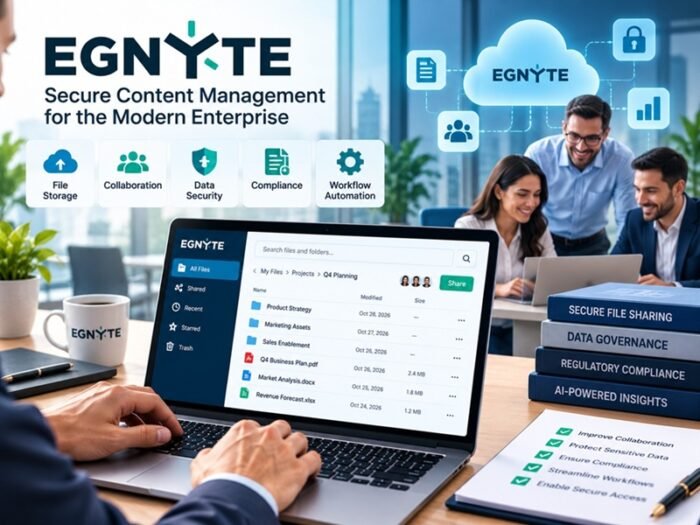
Choosing the right file sharing cloud services helps business teams collaborate efficiently while protecting confidential documents, customer information, and intellectual property. The best solution combines strong security controls, easy collaboration, access management, reliable file synchronization, and compliance features that match an organization’s needs.
As businesses adopt remote and hybrid working models, employees increasingly share files across departments, devices, clients, and external partners. Without appropriate safeguards, this convenience can introduce risks such as unauthorized access, accidental data exposure, and compromised accounts.
Selecting a secure cloud file sharing solution requires more than comparing storage limits or subscription prices. Businesses need to evaluate how each platform protects information, manages permissions, supports collaboration, and maintains control over sensitive files.
What Are File Sharing Cloud Services?
File sharing cloud services are online platforms that allow users to upload, store, access, synchronize, and share files over the internet. Instead of relying entirely on local storage or email attachments, teams can use a centralized environment to collaborate on documents from different locations.
These services commonly offer file synchronization, permission management, version history, shared folders, external collaboration, and administrative controls.
For example, a marketing team can store campaign assets in a shared workspace, allow designers to update files, and provide clients with access to approved documents without sending multiple email attachments.
Business-focused platforms may also include encryption, audit logs, identity integrations, data loss prevention, and administrative reporting.
However, not every service provides the same level of protection. Businesses should assess security capabilities against their actual risks rather than assuming that cloud storage automatically makes files secure.
Why Do Businesses Need Secure Cloud File Sharing?
Secure file sharing supports everyday collaboration while reducing the risks associated with moving information between people and systems.
1. Protects Confidential Business Information
Companies regularly exchange contracts, financial reports, customer records, product designs, and internal presentations. Access controls and encryption help protect these files from unauthorized disclosure.
2. Supports Remote and Hybrid Teams
Employees can access approved files from different locations without depending on a single office network. Properly configured authentication and device controls help maintain security outside traditional office environments.
3. Reduces Email Attachment Risks
Email attachments can create multiple uncontrolled copies of the same document. Cloud-based sharing allows teams to distribute controlled links and update a central version instead.
4. Improves Collaboration and Productivity
Shared workspaces, version history, and simultaneous editing can reduce duplicate work and confusion about which document is current.
5. Helps Meet Compliance Requirements
Organizations handling personal, financial, healthcare, or other regulated information may need specific controls over storage, access, retention, and sharing. A suitable platform can support these requirements, although the business remains responsible for configuring and operating it correctly.
8 Factors to Consider When Choosing File Sharing Cloud Services
1. Evaluate Security and Encryption
Security should be the first consideration when comparing cloud file sharing platforms.
Look for encryption during data transmission and while files are stored. Review how the provider manages encryption keys, protects infrastructure, and responds to security incidents.
Businesses handling highly sensitive information should also determine whether the service supports additional protections, such as customer-managed encryption keys or restrictions on downloading files.
Encryption is important, but it does not prevent every type of data exposure. Organizations also need secure authentication, access policies, monitoring, and employee awareness.
2. Check Access Controls and Permission Management
A secure platform should allow administrators to control who can view, edit, download, or share individual files and folders.
Role-based permissions help ensure that employees receive only the access needed for their work. More advanced controls may allow businesses to restrict external sharing, block anonymous links, set link expiration dates, or limit access to approved users.
For example, a finance department may allow employees to view a budget report while restricting editing rights to authorized managers.
Choose a platform that makes permissions easy to understand and review. Complicated settings can lead to accidental exposure when employees share files with the wrong audience.
3. Look for Multifactor Authentication and Identity Integration
Passwords alone may not provide sufficient protection against phishing, credential theft, or account compromise.
Select a service that supports multifactor authentication (MFA), single sign-on (SSO), and integration with your organization’s identity provider where appropriate.
Centralized identity management makes it easier to enforce access policies and disable accounts when employees leave the company.
For higher-risk environments, consider support for conditional access, managed devices, and other controls that restrict access according to organizational policy.
4. Review File Sharing and Collaboration Features
Security should not make everyday collaboration unnecessarily difficult.
Evaluate whether the platform supports shared folders, secure external links, real-time editing, comments, file synchronization, version history, and document recovery.
Consider how employees work with clients, suppliers, contractors, and other external partners. A platform that provides controlled external access can reduce the temptation to use unapproved consumer file sharing applications.
Test common workflows before selecting a solution. Employees should be able to share approved files securely without creating unnecessary administrative overhead.
5. Check Compliance and Data Residency Options
Different businesses have different regulatory and contractual obligations.
Organizations should determine whether their chosen service supports the controls and documentation required for their operations. Depending on the use case, these may include audit logging, retention policies, legal holds, access reporting, and data residency options.
For example, a company processing personal information may need to assess requirements under applicable privacy laws, while a healthcare organization may need additional safeguards related to protected health information.
Do not rely on a provider’s compliance certification alone. Confirm that the specific service, configuration, contract, and organizational processes meet the requirements that apply to your business.
6. Assess Storage Capacity, Performance, and Scalability
Businesses should estimate their current storage requirements and expected growth.
Consider storage limits, upload and download performance, file size restrictions, synchronization behavior, and support for large media or project files.
Organizations working with video, engineering designs, research datasets, or large presentations may have different requirements from teams that primarily exchange office documents.
Also examine how the platform performs when many users access shared files simultaneously.
A short pilot with representative workloads can reveal performance problems before the organization commits to a long-term deployment.
7. Examine Backup, Version History, and Recovery
Accidental deletion, ransomware, synchronization errors, and unauthorized changes can disrupt business operations.
Look for file version history, recovery options, retention controls, and clearly documented backup arrangements.
However, file versioning and synchronization are not necessarily equivalent to independent backups. Changes or deletions may propagate across synchronized devices.
Ask the provider how long deleted files can be recovered, what backup protections exist, and whether recovery procedures have been tested.
Businesses with strict recovery requirements should maintain a documented plan for restoring critical information.
8. Compare Pricing and Total Cost of Ownership
Subscription prices are only one part of the cost of cloud file sharing.
Businesses should consider storage allowances, user licensing, advanced security features, administrative requirements, integration costs, support services, and potential data transfer charges.
Some platforms reserve detailed audit logs, advanced identity controls, or data loss prevention features for higher subscription tiers.
Compare the capabilities included in each plan instead of selecting the cheapest option based solely on storage capacity.
A slightly more expensive service may provide better value if it reduces manual administration and supplies the security controls your organization actually needs.
Popular File Sharing Cloud Services for Business Teams
Several established platforms offer business-oriented file storage and collaboration capabilities. The most appropriate choice depends on the organization’s existing applications, security requirements, and budget.
Microsoft OneDrive for Business
Suitable for organizations that use Microsoft 365 and want integrated file sharing, document collaboration, identity controls, and centralized administration.
Google Drive
Useful for teams that work with Google Workspace and need shared drives, collaborative document editing, and centralized file access.
Dropbox Business
Worth evaluating for teams that prioritize file synchronization, external collaboration, and sharing large project files.
Box
A business-focused content management option for organizations that need document collaboration, governance features, and administrative controls.
Before making a decision, verify the security features, compliance options, storage limits, and pricing available in the specific plan you intend to purchase. Features can vary by subscription tier and region.
Common Mistakes to Avoid When Selecting a Cloud File Sharing Platform
Choosing a platform based only on storage capacity can leave businesses without the controls needed to protect confidential information.
Another common mistake is enabling unrestricted external sharing. Public links may be convenient, but they can expose files beyond the intended audience. Use restricted links, expiration settings, and access reviews where appropriate.
Businesses should also avoid assuming that every employee understands secure sharing practices. Clear policies and practical training are essential for preventing accidental disclosure.
Finally, organizations should not overlook vendor exit procedures. Before adopting a service, understand how files, metadata, permissions, and audit records can be exported if the business later changes providers.
Best Practices for Secure Cloud File Sharing
Once a platform has been selected, businesses should establish practical rules for everyday use.
Apply least-privilege access and require MFA for accounts that support sensitive business workflows. Disable anonymous sharing unless there is a clear, approved reason to allow it.
Use separate shared workspaces for departments or projects, and review permissions when employees change roles or projects end. Establish rules for external sharing, file retention, and the handling of confidential documents.
Administrators should enable available audit logs and security alerts, monitor unusual sharing activity, and maintain a documented incident response process.
Employees should also understand how to recognize suspicious sharing requests, report exposed links, and use approved platforms instead of unverified applications.
Expert Tip: Before rolling out a cloud file sharing platform company-wide, test it with a small team. Evaluate external sharing, permission changes, account removal, file recovery, and audit reporting. A practical pilot helps identify security gaps and usability problems before they affect the entire organization.
Conclusion
Choosing secure file sharing cloud services requires a balanced evaluation of security, collaboration, access management, compliance, scalability, recovery, and cost.
Businesses should begin by identifying the types of information they share and the risks associated with unauthorized access. They can then compare platforms against their security requirements and existing technology environment.
The right solution should make collaboration convenient without sacrificing control over sensitive information. Combined with strong access policies, employee training, regular permission reviews, and effective monitoring, secure cloud file sharing can help business teams work more efficiently while protecting valuable company data.
Frequently Asked Questions
What are file sharing cloud services?
File sharing cloud services are online platforms that let users store, access, synchronize, and share files over the internet. Business-oriented services often include permission controls, version history, collaboration tools, and administrative security features.
Which cloud file sharing service is best for business teams?
The best service depends on the organization’s existing software, security requirements, collaboration needs, storage demands, and budget. Microsoft OneDrive for Business, Google Drive, Dropbox Business, and Box are options worth comparing.
How can businesses make cloud file sharing more secure?
Businesses can improve security by enabling MFA, restricting file permissions, using encryption, limiting public links, reviewing external sharing, monitoring access logs, and training employees on safe sharing practices.
Is cloud file sharing safe for confidential business documents?
It can be safe when the platform provides appropriate security controls and the organization configures them correctly. Businesses should evaluate encryption, access management, audit logging, retention, recovery, and compliance requirements before storing confidential documents.
What should businesses look for in a cloud file sharing platform?
Important features include encryption, granular permissions, MFA, identity integration, version history, recovery options, external sharing controls, audit logs, scalability, and transparent pricing.
Is cloud file sharing better than email attachments?
Cloud file sharing can provide better control over document access and reduce the creation of duplicate attachments. However, security depends on how links, permissions, accounts, and sharing policies are configured. Sensitive documents still require appropriate safeguards.
